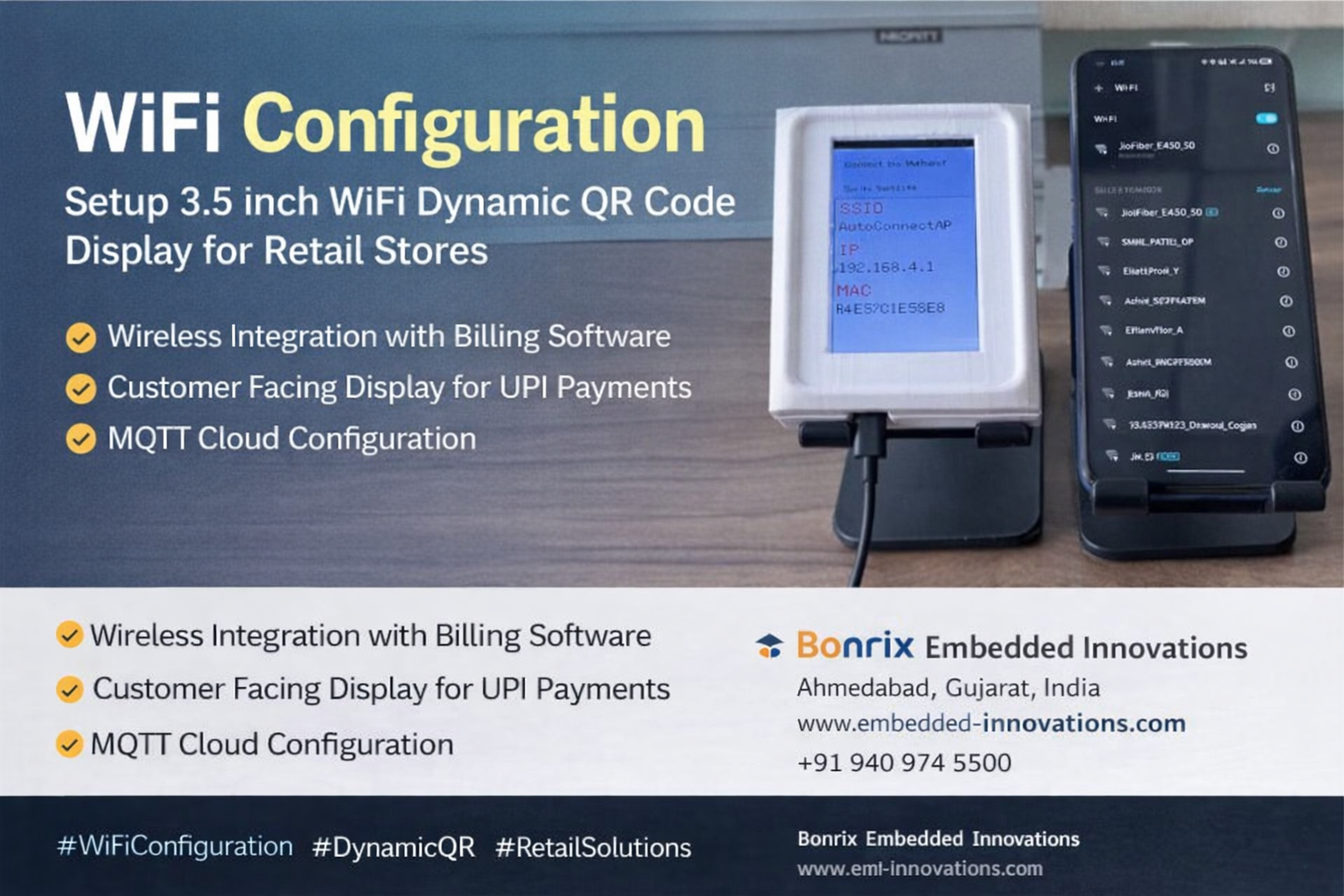
Steps
Step 1: Power on the device. The device will start in WiFi Hotspot Mode.
Step 2: Connect to the WiFi Hotspot using the WiFi SSID shown on the Dynamic QR Code Display. By default, the WiFi Hotspot SSID is "AutoConnectAP". There is no password required for the initial connection, allowing you to connect directly from a mobile, laptop, or desktop device.
Step 3: A WiFi Configuration Page will open automatically in your browser. If it does
not open, enter the IP address shown on the display into your browser, for example:
http://192.168.4.1/
Step 4: The WiFi Manager page will appear. Enter your local WiFi SSID and password, then save the configuration.
Step 5: The device will attempt to connect to your local WiFi network. If the connection fails, restart the device. Once connected, the display will show your WiFi SSID and the assigned IP address.
Step 6: Open the device management page using the displayed IP address, for example:
http://192.168.23.119
This can be accessed from any device connected to the same network.
Step 7: From the device management page, you can perform operations such as:
✔ MQTT Configuration
✔ Reset WiFi Settings
✔ Display Dynamic QR Codes using Test Utility
✔ Integrate with billing or ERP software using HTTP Local LAN API
Device Details
Product: 3.5 inch WiFi Dynamic QR Code Display
Function: Customer Facing Display for BHIM UPI Payment Collection at Retail Stores
Feature: Wireless Integration with Billing Software using WiFi (Local LAN)
Model: BEI-CFD-001-WIFI
Additional: MQTT Cloud Support
Company Details
Name: Bonrix Embedded Innovations
Location: Ahmedabad, Gujarat, India
Facebook: / bonrixembeddedinnovations
Website: www.embedded-innovations.com
WhatsApp: Contact Us
Email: info@embedded-innovations.com / embeddedinnovations.bonrix@gmail.com
Phone: +919409745500 / +919429045500
#WiFiConfiguration #DynamicQR #RetailSolutions #UPIPayments #BonrixEmbeddedInnovations #RetailTech #Innovation #Fintech #WiFiSetup #EasyConfiguration #RetailStore #DigitalPayments #WiFiTechnology #DigitalIndia #TechSolutions #RetailAutomation #IoTinRetail #ContactlessPayment #WirelessIntegration #BHIMUPI #BillingSoftware #RetailIndustry #CloudBasedPaymentSolution #PointOfSale #Ecommerce #BusinessInnovation #EfficientRetail #CustomerFacingDisplay #CustomerExperience #CashlessTransactions #PaymentSolutions #TechInRetail #DigitalTransformation #RetailFuture #EmbeddedInnovations #WifiHotspot #PaymentCollection #LocalLAN #MQTTConfiguration #SmartRetail #DeviceManagement #RetailInnovation #QRCodeDisplay #WirelessBilling #BusinessTech #NextGenRetail #RetailDigitalization