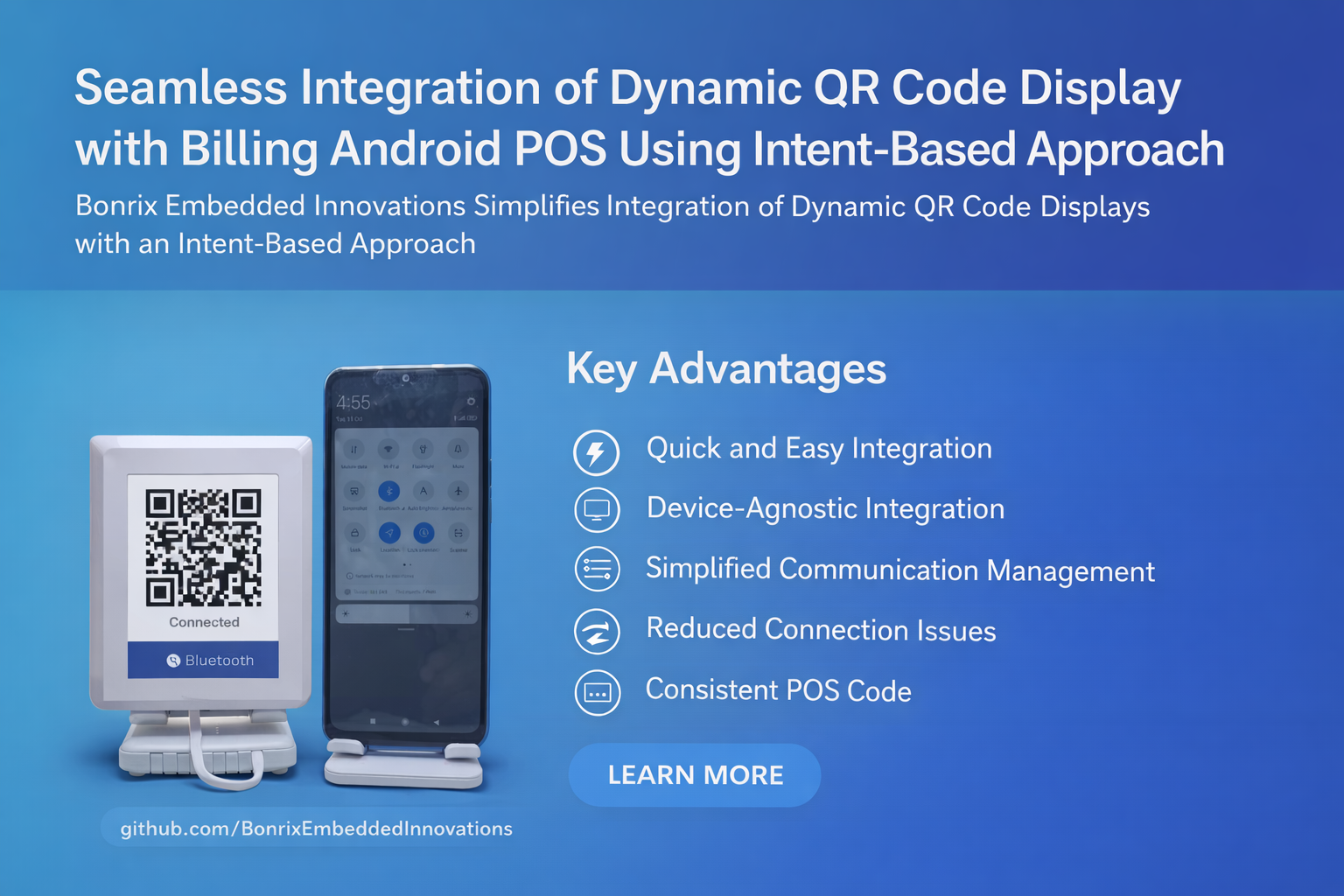
Bonrix Embedded Innovations introduces a groundbreaking solution for integrating Dynamic QR Code displays with Android Billing POS applications. This solution simplifies the process by leveraging an intent-based integration approach, designed to address the complexity of working with diverse customer-facing displays.
🎯 The Challenge
Dynamic QR Code displays come in various forms, each using different communication methods:
- 📡 Connectivity Variants: Bluetooth, Wi-Fi, USB/Serial, or Cloud MQTT
- 🖼️ Command Formats: Text-based, JPEG, or binary images
- ⚙️ Hardware Specs: Different resolutions, power requirements, and protocols
For Android POS developers, managing this wide range of display types and communication protocols can be daunting — especially when integrating QR code displays for payment processing.
💡 The Solution: Intent-Based Integration
Bonrix's unique approach simplifies this by offering a standard Android app for each display type, which includes an intent receiver. Instead of handling complex device-specific communication:
- POS App: Passes required parameters and commands via Android
Intent - Display App: Receives intent, manages device communication (Bluetooth/WiFi/USB/MQTT)
- Hardware: Executes command — displays dynamic QR, payment notifications, bill totals, etc.
📱 Sample Intent Implementation
Intent intent = new Intent("com.bonrix.action.DISPLAY_QR");
intent.putExtra("qr_data", "upi://pay?pa=merchant@upi&pn=Store&am=10.00");
intent.putExtra("command_type", "text"); // or "jpeg", "binary"
intent.putExtra("display_timeout", 30); // seconds
startActivity(intent);
✅ Key Advantages
| Benefit | Impact for Developers |
|---|---|
| 🚀 Quick Integration | Add QR display support in minutes — no protocol expertise needed |
| 🔄 Hardware Flexibility | Swap displays without changing POS app code — truly device-agnostic |
| ⚙️ Simplified Communication | No need to manage Bluetooth/WiFi/USB/MQTT logic in your POS app |
| 🔗 Reduced Connection Issues | Display app handles connect/disconnect/reconnect — POS stays stable |
| 🧼 Consistent POS Code | Same intent call works across display sizes, protocols, and generations |
🎬 Demonstration & Resources
To showcase the simplicity of this integration, Bonrix provides:
- 📦 GitHub Repository: Sample Intent-Based Implementation
- 🎥 Demo Video: 3.5" Bluetooth Dynamic QR Display controlled via Android intents
- 📘 Documentation: Intent parameter reference, command formats, and troubleshooting
🔧 Supported Display Types & Protocols
- 📡 Bluetooth Serial: Text/JPEG commands via classic Bluetooth
- 📶 Wi-Fi (TCP/MQTT): Cloud-synced displays for multi-location deployments
- 🔌 USB/Serial OTG: Direct wired connection for maximum reliability
- 📱 BLE (Bluetooth Low Energy): Low-power pairing for portable setups
- ☁️ Cloud MQTT: Remote management for enterprise-scale deployments
🎯 Ideal For
- 🛍️ Android POS Developers: Add QR display support without hardware expertise
- 🏪 Retail Software Vendors: Offer flexible display options to clients
- 💼 System Integrators: Deploy mixed hardware environments with unified code
- 🚀 Startups: Launch payment features faster with minimal R&D overhead