Dynamic QR Code Scanner Display Device (DQR-111) Bluetooth Model
The Dynamic QR Code Scanner Display Device (DQR-111) by Bonrix Embedded Innovations is a versatile 3.5-inch display device supporting both USB and Bluetooth connectivity. It enables seamless communication using text commands over Bluetooth Low Energy (BLE).
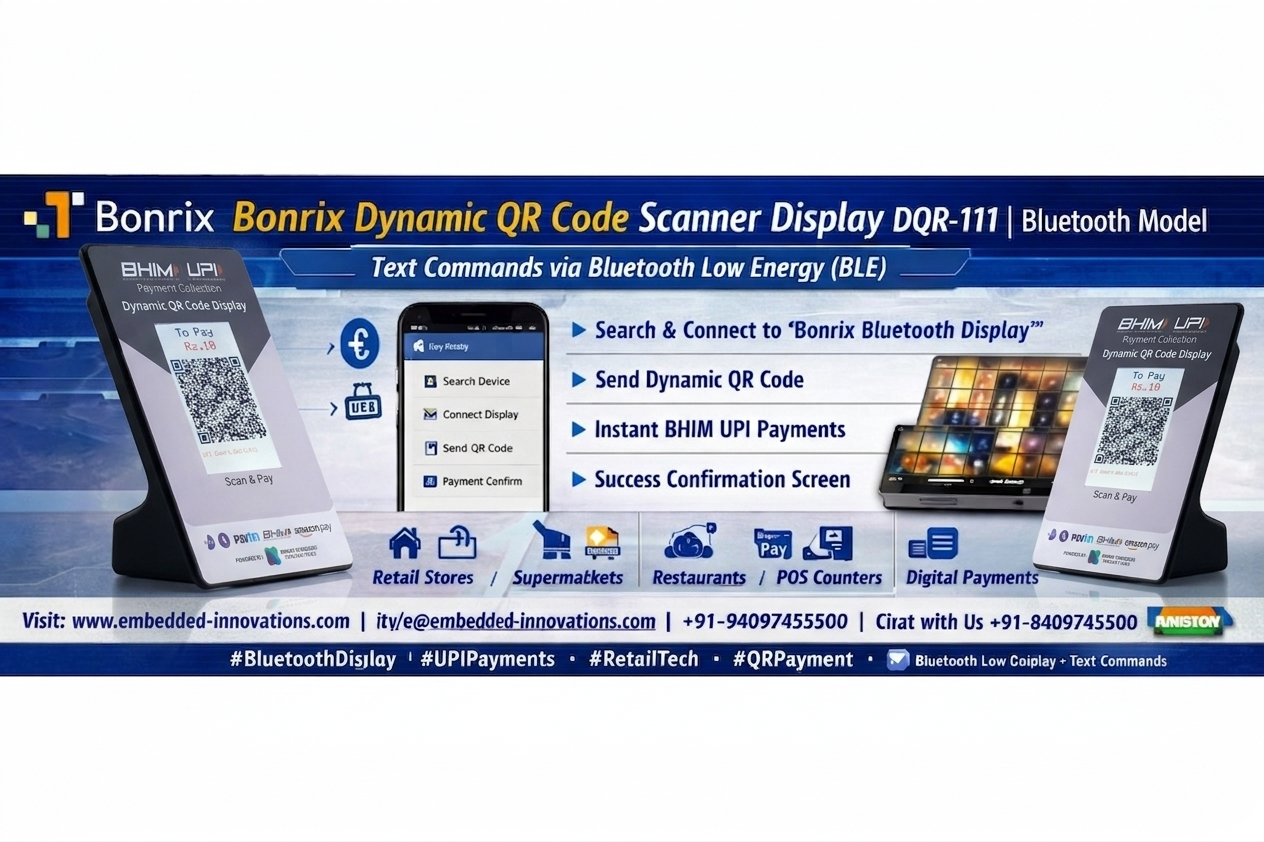
This guide demonstrates how to connect an Android app to the DQR-111 device and use it for BHIM UPI payment collection in retail environments.
Key Steps Demonstrated
- Search for Bluetooth Device from the App:
Open the Android app and scan for nearby Bluetooth devices. - Connect to "Bonrix Bluetooth Display":
Select and connect to the DQR-111 device listed as "Bonrix Bluetooth Display." - Configure for BHIM UPI Payment Collection:
Setup the device within the app for UPI payment processing. - Send Command to Draw QR Code:
Use the app to send commands that display a QR code for payment collection. - Test Display Screens:
Verify functionality by displaying welcome, payment success, and failure screens.
Communication Technology
The device communicates with the Android app using Bluetooth Low Energy (BLE) and text-based commands. This ensures fast, reliable, and efficient interaction between the POS system and the display device.
Device Specifications
- Device Name: DQR-111
- Description: 3.5 inch USB cum Bluetooth DQR Display
- Item Code: BEI-DQR-111-BLE
- Command Type: Text Command
- Display Type: Dynamic QR + Image
- Resolution: 320 x 480 Pixels
- Version: 1.0.0
- Connectivity: Bluetooth Low Energy (BLE) + USB
Usage
The DQR-111 is designed for digital payment collection in retail stores. It supports major platforms such as BHIM UPI, Paytm, and Amazon Pay.
Retailers can display a dynamic QR code with the exact payment amount, allowing customers to scan and pay instantly using their preferred UPI app.
Applications
- Retail Stores
- Supermarkets
- Garment Shops
- Restaurants & Cafes
- POS Billing Counters
- Digital Payment Systems
For More Information
Website: www.embedded-innovations.com
WhatsApp: Chat on WhatsApp
Tags
#DynamicQRCode #DQR111 #BluetoothDisplay #BLECommunication #UPIPayments #QRPayment #RetailTech #POSSystems #CustomerDisplay #SmartPayments #Fintech #EmbeddedSystems #RetailSolutions #DigitalPayments #BonrixEmbeddedInnovations #Ahmedabad #IndiaTech