Step-by-Step Guide to Setting Up DQR-111 WiFi Dynamic QR Display
This video presents a comprehensive guide on how to set up and use the Dynamic QR Code Scanner Display (DQR-111) WiFi Model, designated by the item code BEI-DQR-111-WIFI.
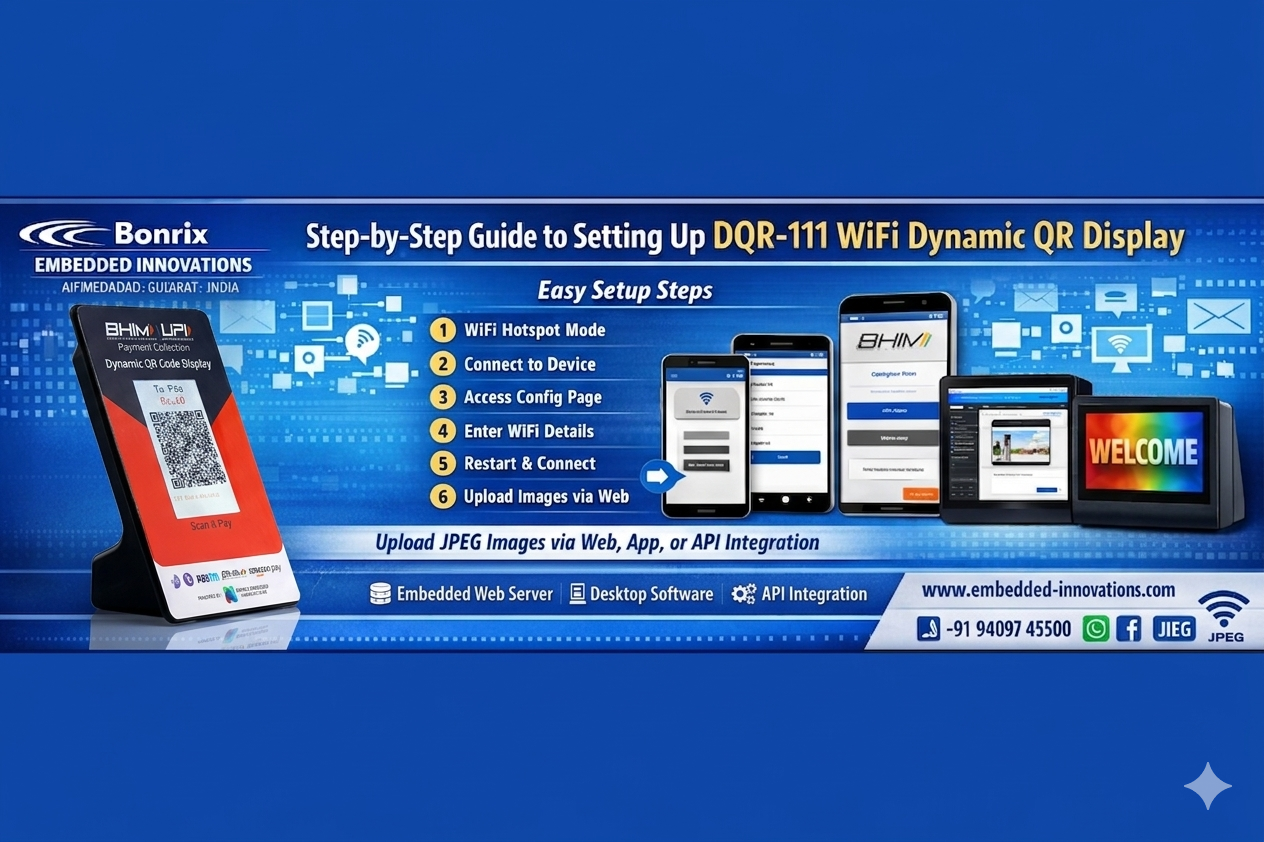
This device allows for the wireless display of JPEG images through multiple methods including:
- Embedded Web Server within the device
- Android Application
- Desktop Software
- API Integration for third-party systems
It supports JPEG images with a resolution of 320x480 pixels (portrait mode), enabling users to upload and display images via WiFi seamlessly.
Setup & Operation Process
- Initialization:
The display starts in WiFi Hotspot Mode immediately after being powered on. - WiFi Connection:
Connect to the display using WiFi credentials shown on the screen via mobile device. - Access Configuration Web:
Scan the QR code or open the provided URL in a browser to access the configuration page. - WiFi Setup:
Enter and save your WiFi credentials so the device connects automatically after restart. - Restart & Connect:
After reboot, the device connects to the local network and displays its IP address. - Image Upload & Display:
Use the JPEG Display Web interface to upload and display images on the screen. - Operational Use:
Uploaded images are displayed in real-time on the device. - Network Reset:
Reset or change WiFi settings anytime via the web interface.
Tags
#DynamicQRCode #WiFiDisplay #JPEGDisplay #SmartDisplay #TechGadgets #IoTDevices #WirelessDisplay #EmbeddedSystems #AndroidApp #DesktopApp #APIIntegration #TechInnovation #SmartTech #WirelessTech #PortableDisplay #DisplayTechnology #DigitalSignage #SmartDevice #WiFiTechnology #TechSolutions #TechTrends #InnovationInTech #DigitalDisplay #TechProducts #NextGenTech #SmartHome #InternetOfThings #WiFiEnabled #QRCodeDisplay #ConnectivitySolutions #dynamicqr #qrscanner #digitalsignage #jpegdisplay #retailsignage #digitalmenu #signagemanufacturing #qrcodegen #qrcodetechnology #JPEGImageDisplay #QRCodeScanner #ImageUpload #WiFiIntegration #EmbeddedWeb #WiFiHotspotMode #JPEGDisplayWeb #ImageResolution #WiFiConfig #LocalNetworkConnectivity #BonrixSoftware #InnovativeDisplays #BonrixEmbeddedInnovations #RetailTech #MakeInIndia #DynamicQRDisplay #RetailPayments #Innovation #digitalpayment #bhim #npci #UPI #upipayment #soundbox #VirtualSoundBox #PaymentSoundbox #upisoundbox #qrcode #cloudspeaker #Fintech #payments #QRpayment #paymentspeaker #PaymentAlert #paymentsolution #QRcodepayment #QRScreen #PoleDisplay #DisplayPole #CustomerDisplay #POS #Retail #billingsoftware #posterminal #DigitalPayments #retailpod #soundpod #cbdc #pointofsale #WirelessPaymentTerminal #android #edc #unattendedretail #customerfacingdisplay #CustomerFacingScreen #retailsoftware #Merchant #Solutions #App #MerchantSolutions #paymentsolutions #digitalpayments #onlinepayment #contactlesspayment #cashlesspayment #digitalindia #soundofmoney #happymerchants #payswiff #scanandpay #paytm #Payloud #GPay #PhonePe #bharatpe #cashfree #razorpay #paymentgatewayintegration #design #paymentgateway #DynamicQRSoundbox #USBPaymentSolution #CloudBasedPaymentSolution #PlugAndPlay #NPCI #icicibank #icici #RetailTech #UPIPayments #SmartRetail #QRCode #DigitalTransformation #RetailSolutions #BillingSoftware #CloudConnectivity #RetailIndustry #CustomerExperience #CashlessTransactions #TechInRetail #Ecommerce #BusinessInnovation #RetailFuture #BonrixEmbeddedInnovations #Bonrix #BonrixSoftwareSystems #EfficientRetail #cloud #RetailAutomation #IoTinRetail #ContactlessPayment #WirelessIntegration #TOPWISE #CloudSoundBoxSP10 #DynamicQRDisplay #BonrixTMS #TerminalManagementSystem #QRPayment #CloudMQTTServer #TechAnnouncement #Soundbox #DigitalPayments #PaymentSolutions #MerchantSupport #MerchantEcosystem #UPI #DigitalTransformation #DigitalIndia #QRPayments #Banking #FintechInnovation #FintechNews #Jio #Finance #NFC #paymentsolution #UPIChalega #PaytmKaro #PaytmSeUPI #PaytmUPI #onboarding #qrcodes #natonalisedbanks #bankingindustry #PhonePe #Jiofinancial #pinelabs #offlinepayments #startups #upipayments #innovations #JioSoundbox #OnlinePayments #TechNews #challenge #GooglePay #Rupay #mobikwik #MSMEmerchants #merchantacquiring #mobilemoney #Payment #SoundOfMoney #Payswiff #Centerm #SoundPod #FinancialInclusion #startup #unicorn #RazorpayInnovates #UPIRevolution #DynamicSoundbox